![full logo - white 3.png]](https://www.qv21.com/hs-fs/hubfs/Website%20Files/Creative%20Assets/Logos/full%20logo%20-%20white%203.png?height=50&name=full%20logo%20-%20white%203.png)
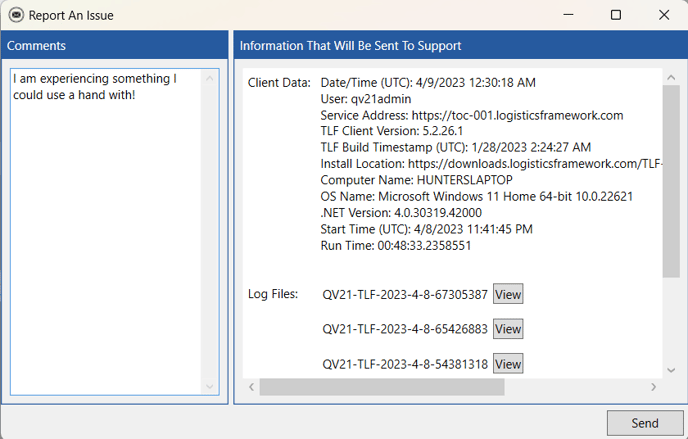
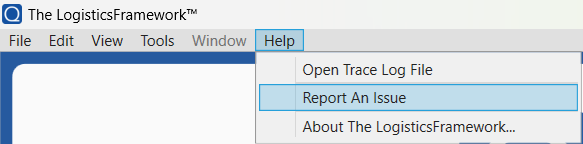
The ‘Report an Issue’ feature can be found under the Help menu. A comment can be provided, and users will be able to send in logs from their computers which allows the Qv21 team a better understanding of how the software is operating on the user's device. Qv21 engineers will investigate these logs to determine what may be causing any issues encountered. It is helpful if users also provide documentation of any specific use cases in addition to the logs.
Help > Report an Issue will allow users to submit logs to the Qv21 team.
Typing a comment into the comments box and then hitting 'Send' will send the logs to the Qv21 engineering team.